These messages mean NotionStats can't read your Notion data yet. Until Notion is connected and the workspace has a database, charts, milestones, and calendars can't be created.
There are two different messages, and they need different fixes:
- "Notion isn't connected" (or "Notion access was revoked") — a banner at the top of your dashboard and workspace pages. NotionStats has no working connection to your Notion account.
- "No database selected" — a status chip in the top bar of a workspace page, plus a Choose database prompt. Notion is connected, but this workspace doesn't have a primary database yet. See What is a primary database?.
Why "Notion isn't connected" happens #
- You just signed up and haven't connected Notion yet.
- You removed NotionStats from your Notion Connections (Notion settings → My connections), which revoked access on Notion's side. The banner then reads Notion access was revoked.
- You cancelled on Notion's consent screen. See I cancelled the Notion connection. What now?.
How to fix it #
- Click Connect Notion (or Reconnect Notion). You'll be redirected to Notion's connection page.
- Check the page(s) that contain the database(s) you want NotionStats to read. Sub-pages and databases inside a shared page are shared automatically.
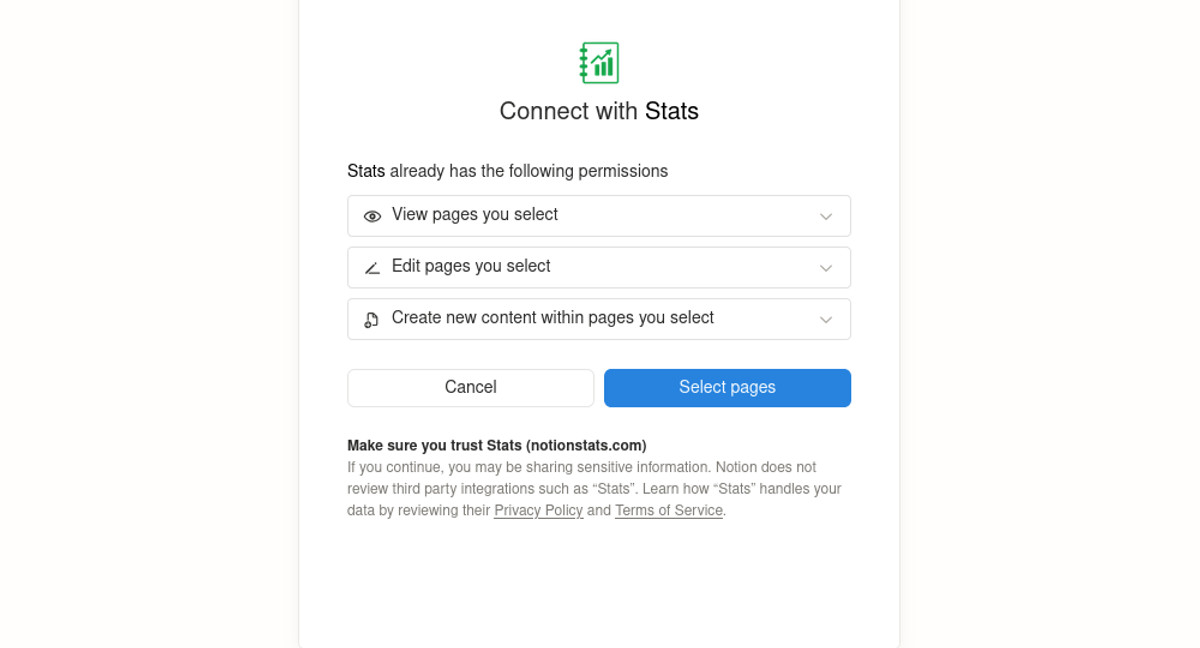
- Click Allow access.
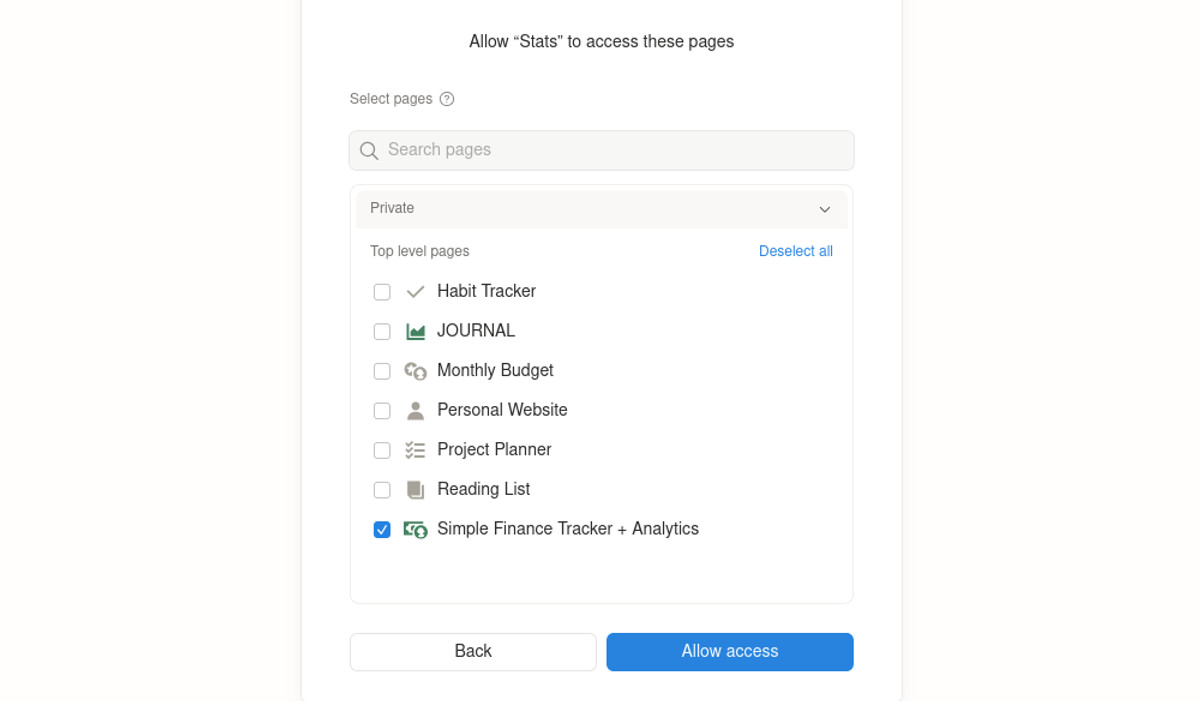
- You're redirected back to NotionStats and the banner disappears. If you started from a workspace, you land on that workspace's page.
If you don't see your databases right after linking, give Notion a few seconds to index the shared pages. NotionStats keeps checking for a short while on its own. See Why are there no options when I try to select a Notion database? for more details.