Turn any Notion database into live charts — inside Notion.
Connect a database, NotionStats detects what it tracks, and you embed charts, calendars and milestones that update on their own.
Free plan · No credit card · Works with any Notion database
How it works
Connect Notion
Authorize once and pick the databases NotionStats can read.
Auto-detect
We recognise finance, habit, fitness, trading and subscription databases and suggest matching templates.
Pick a template
Choose a chart, calendar or milestone. Adjust columns, colors and chart type.
Embed
Paste one link into Notion. It stays up to date.
Create Charts From Your Notion Databases
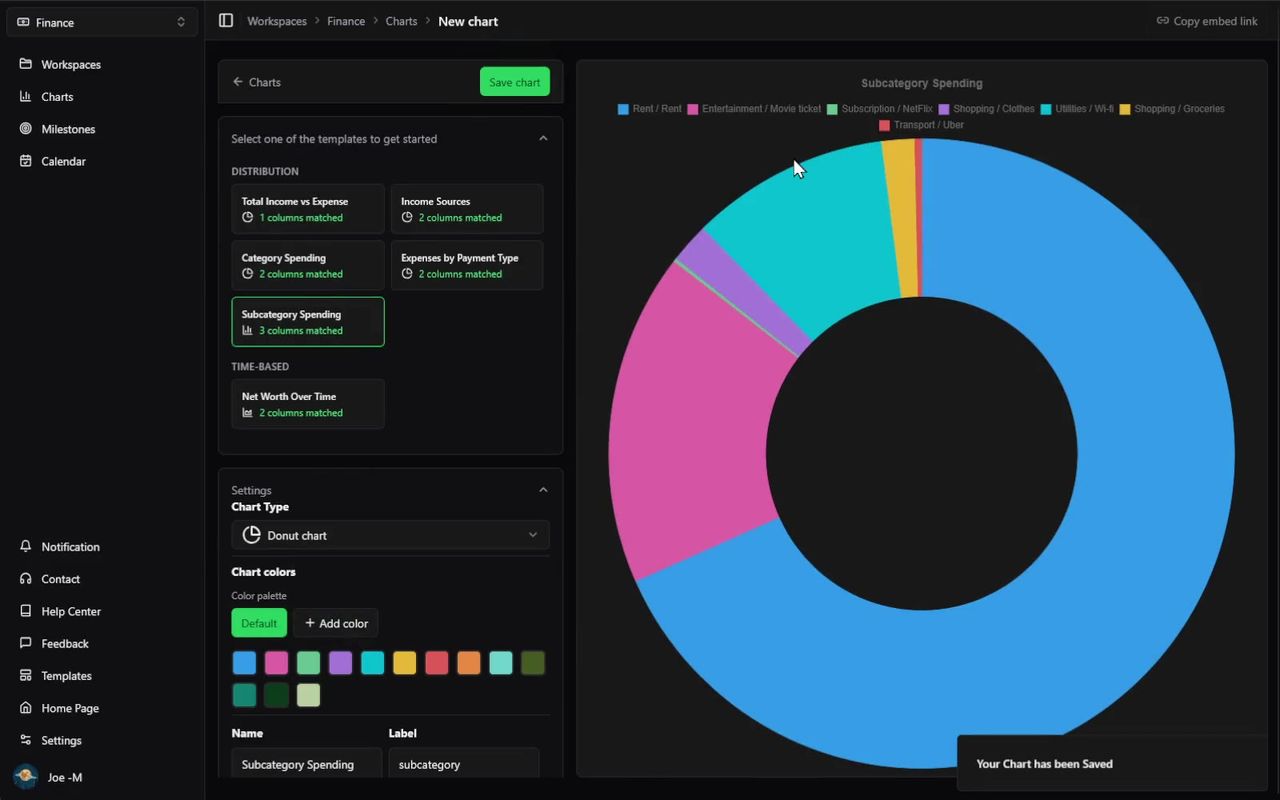
Map Notion properties to axes, choose a chart type, and get a live visualization you can embed back into your workspace.
- Custom chart settings — Configure chart type, X and Y axes, labels, filters, and color in one place.
- Template presets included — Use ready-made presets for finance, habits, fitness, subscriptions, and trading workflows.
- Works with custom databases — Choose the Other workspace type to plug in any Notion database and configure charts manually.
Visualize Notion Activity in a Calendar
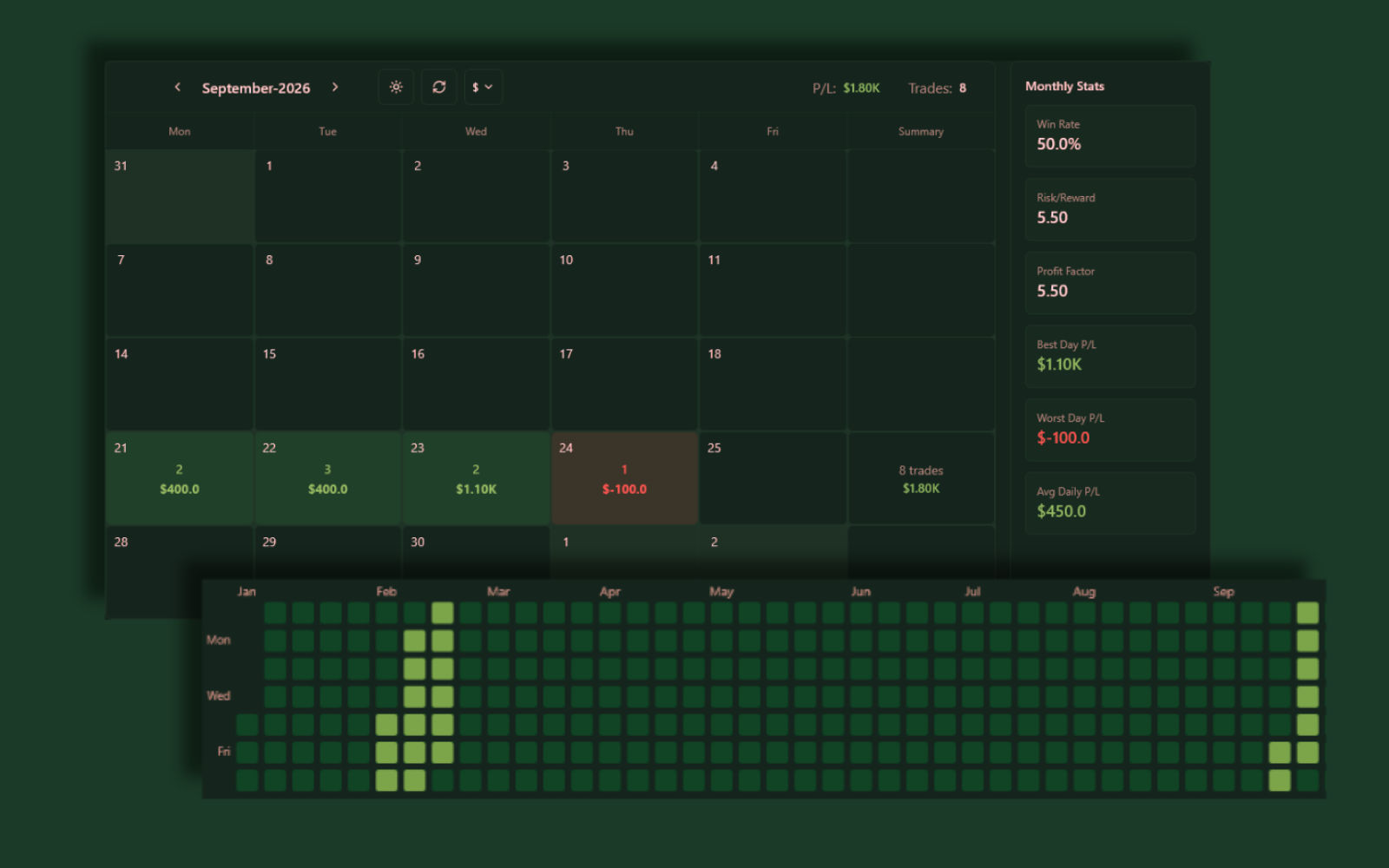
Use the NotionStats calendar to visualize daily, weekly, and monthly activity for any Notion database with a date column.
- Date-based summaries — Aggregate any numeric column per day to color and label calendar cells.
- Activity heatmaps — Quickly spot streaks, busy weeks, and gaps in your tracking.
- Built for recurring workflows — Great for habits, subscriptions, workouts, trades, and daily logs.
Track Notion Goals With Visual Milestones
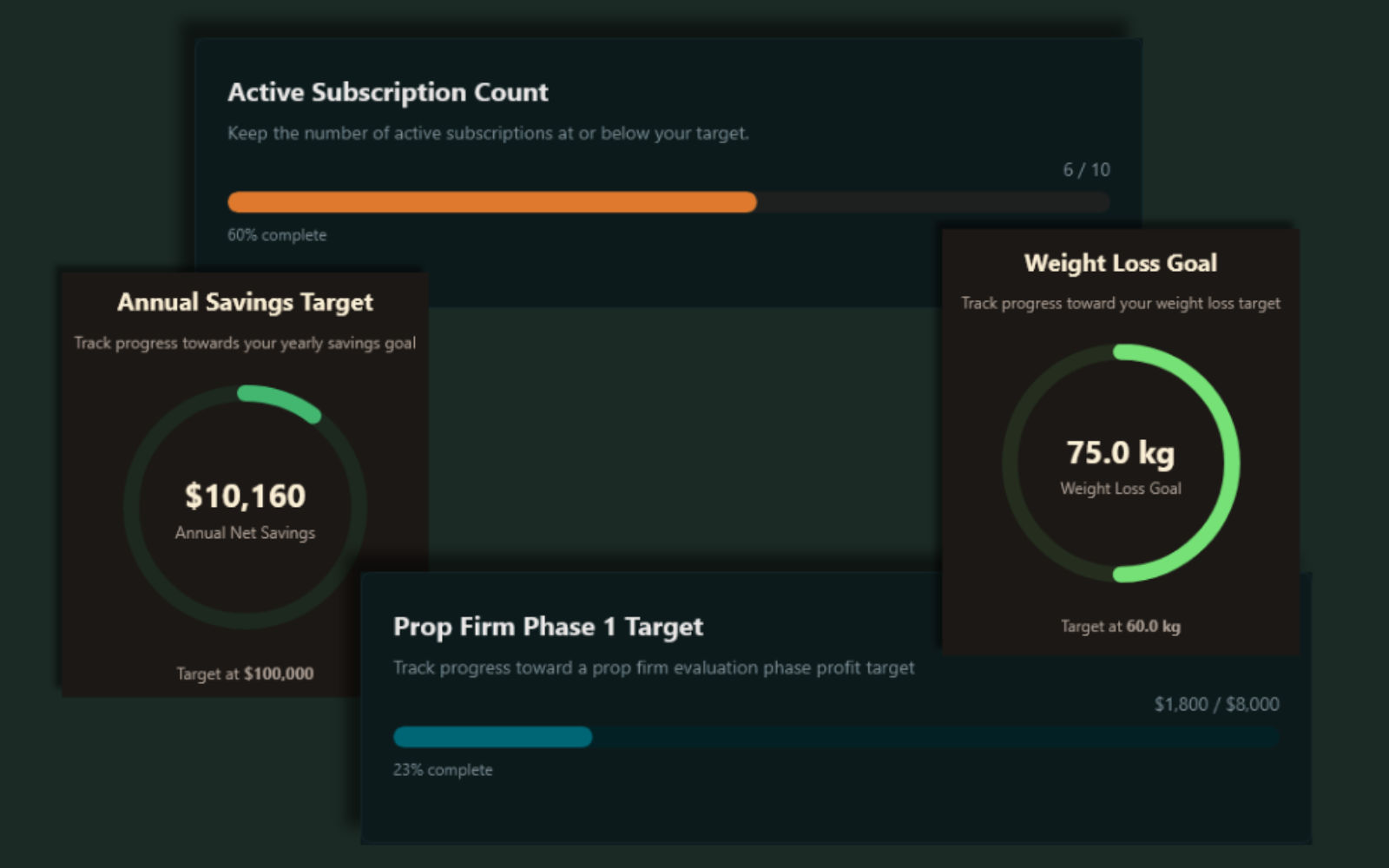
Turn any number in a Notion database into a visual milestone with levels, progress, and embeds that update automatically.
- Progress levels — Define multiple levels (e.g. $1k, $5k, $10k) and watch progress fill as your data grows.
- Motivating visuals — Choose between progress bars and circular progress for each milestone.
- Works across templates — Use milestones with finance, habits, fitness, trading, and custom workspaces.
Embed Live Charts and Calendars in Notion
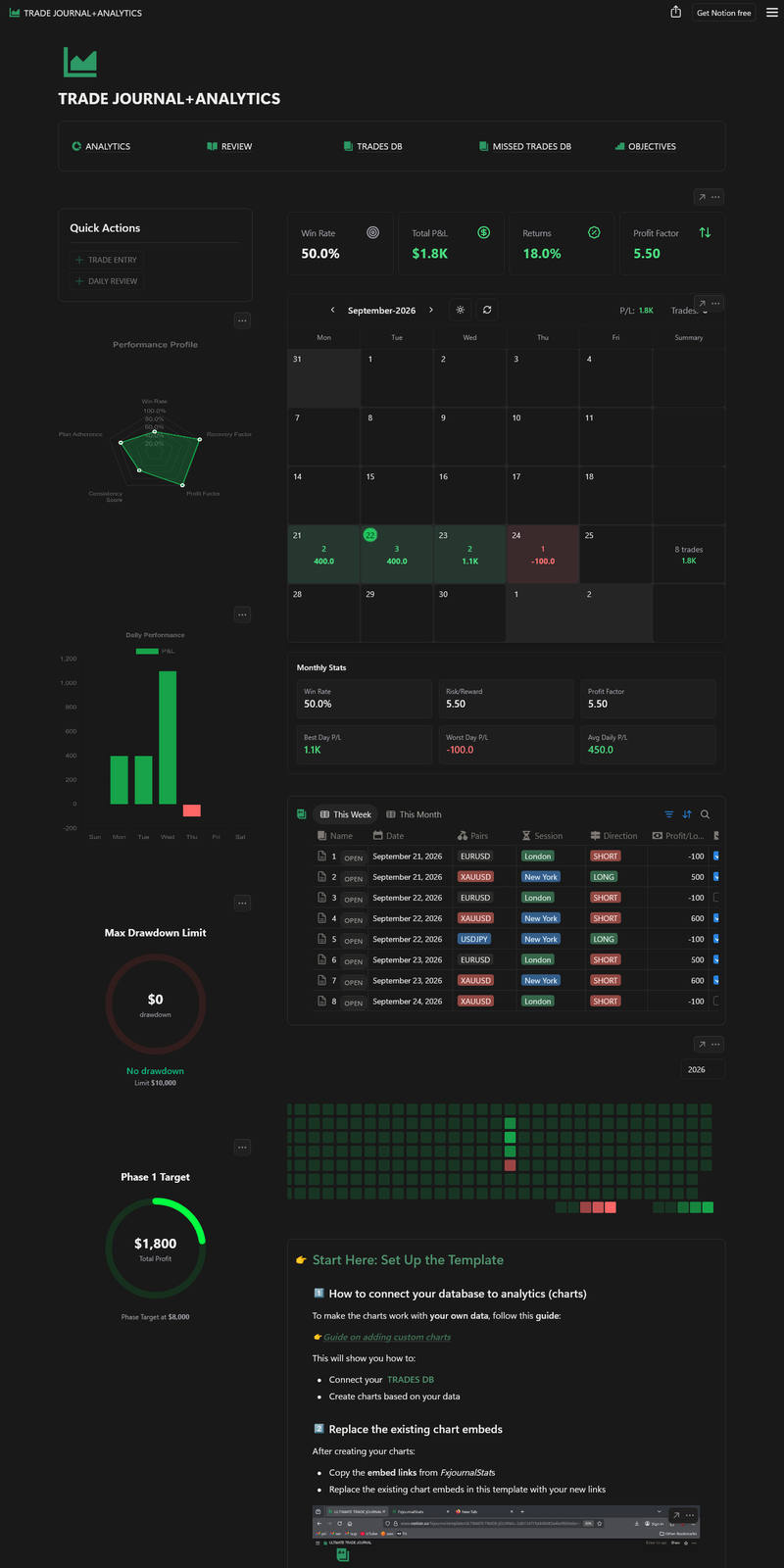
Every NotionStats chart, calendar, and milestone has an embed URL that you can paste into Notion to keep your dashboards alive.
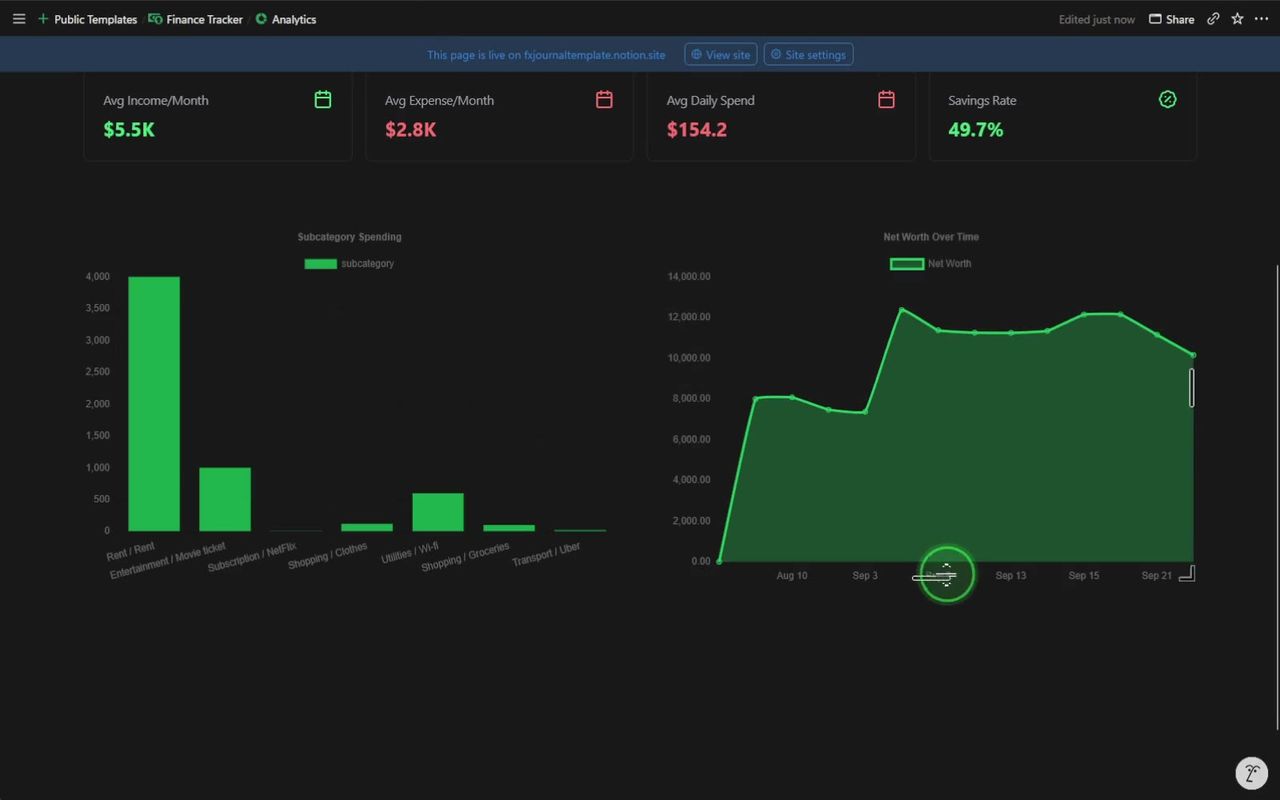
Live refresh
Embeds update when your database does.
Matches your theme
Light and dark, with a toggle inside the embed.
One link
Copy the link, paste it into Notion, and it becomes an embed.
Works on mobile
Embeds are responsive inside the Notion app.
Frequently asked questions
Ready to build Notion analytics?
Create your free account, connect your Notion workspace, and start with charts, calendars, or milestones in minutes.