This message appears on a chart, milestone, or calendar card when the linked Notion database can no longer be accessed. The two most common causes are:
- The Notion database was deleted or moved to the trash inside Notion.
- The page or database was disconnected from the NotionStats integration in your Notion connections.
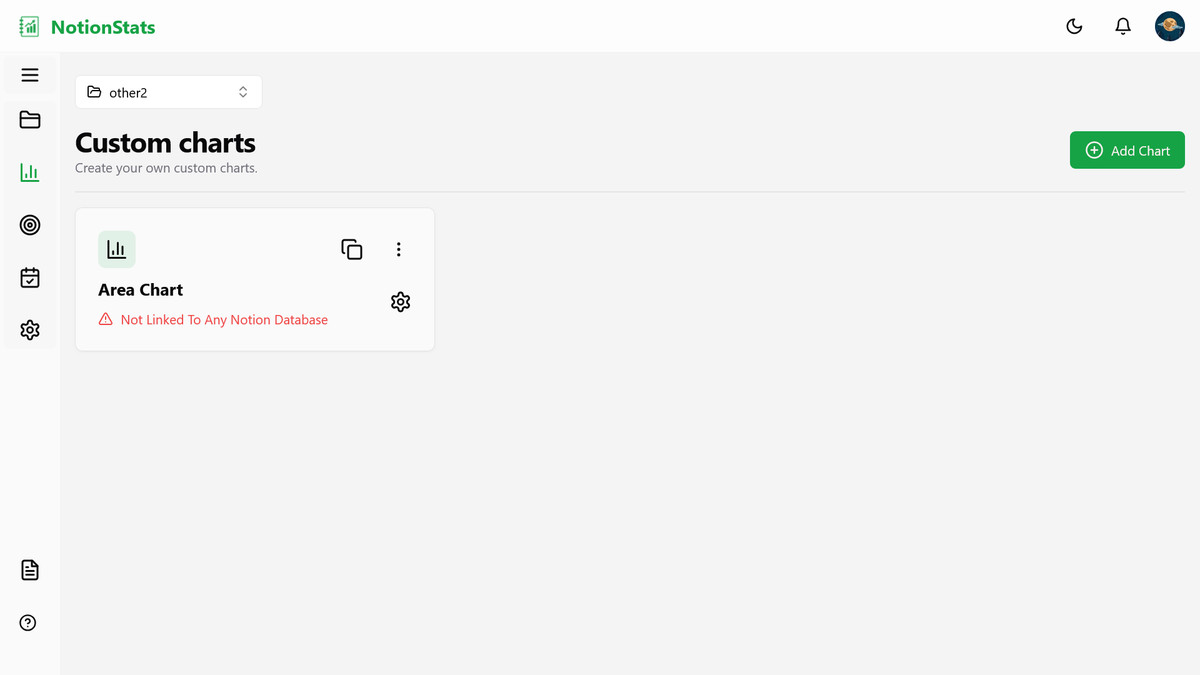
If a whole workspace is affected, its status chip in the top bar of the workspace page reads Database unavailable and a prompt asks you to Reconnect the primary database. Click it, pick another database from the list, or re-share the original with NotionStats. See What is a primary database?.
How to fix it #
1) Edit the card and select a database #
In NotionStats, click the Edit button on the chart, milestone, or calendar card. Select the correct Notion database from the database dropdown, then save the card.
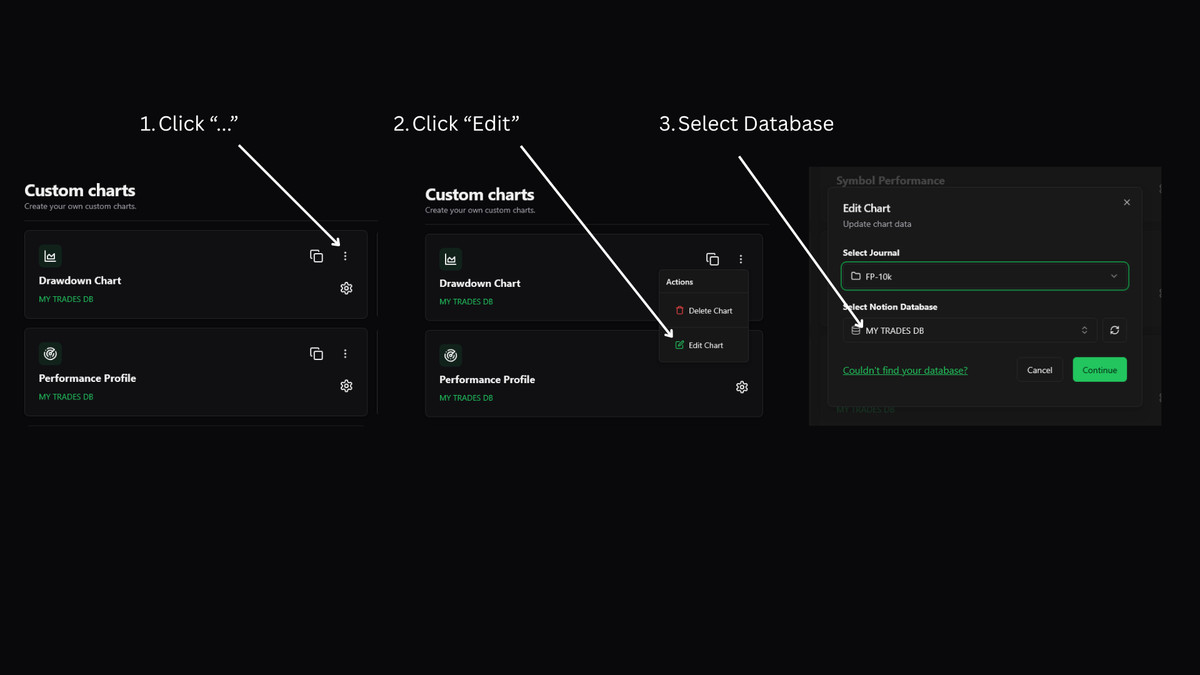
If the dropdown does not show any database options, NotionStats does not currently have access to a database you can select. Use the Notion fixes below, then come back and select the database again.
2) Reconnect the integration in Notion #
Open Notion and navigate to the database (or the page that contains it). Click ... (top right) → Connections → connect Stats.

Read this guide for more ways to fix this.
If you still don’t see the database in the dropdown #
- Make sure the database is not in Trash in Notion.
- Re-check Connections on the database page (the integration must be connected to the page/database you’re using).
- If the original database was deleted, restore it or create a new one, then link it from the card settings (or create a new chart/milestone/calendar pointing to a different database).